
5G and 4G business data | South London
Mobile Broadband for South London Businesses
Business mobile broadband keeps a South London team working when the fixed line is late, faulty or not yet ordered. We check 5G and 4G signal at your address and size the plan to the people and kit relying on it.
Get a mobile broadband quoteHow a mobile link works
Broadband Carried by a Mobile Network
A business router holds a data SIM and connects to a 5G or 4G mast. It then shares that link over Wi-Fi, so laptops, phones and card readers get online without a SIM each.
Fibre is not available at every address, and a new line can take weeks to install. A mobile connection covers that gap, though its speed always depends on signal inside the building.
We pair a coverage check with a list of your devices, so the package suits the site and the workload.
Speak to our team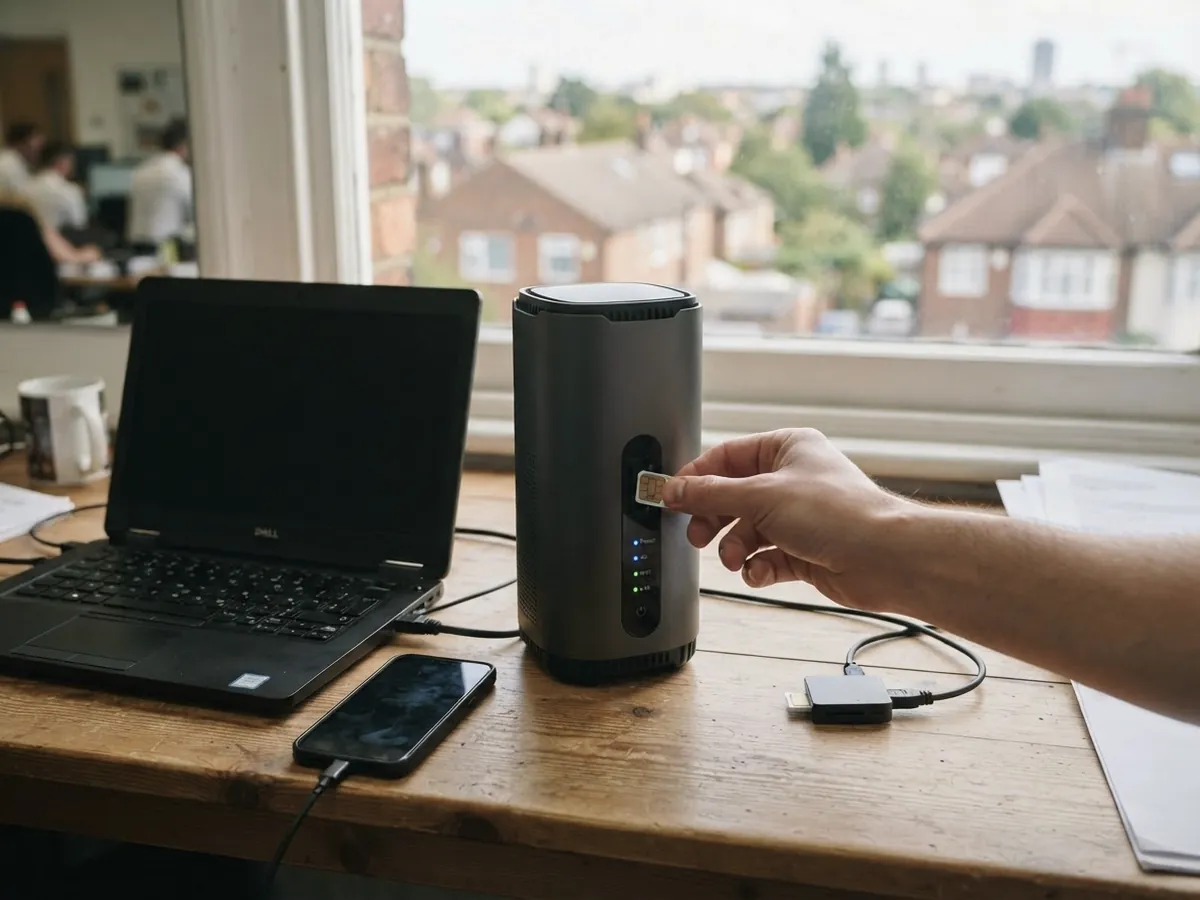
Common reasons to use it
Stay Online When Fixed Lines Are Down or Delayed
Some businesses run on mobile data every day. Others only want a standby link that keeps tills, phones and email going until the engineer fixes the main line. We ask which you are first.
A backup connection for faults
Run a 4G or 5G router alongside your business broadband so key devices switch over when the fixed line drops.
Waiting on a new fibre install
Get the team online from day one with a mobile router, then move across once the carrier finishes the permanent line. Test indoor signal first.
Pop-ups and temporary sites
A portable router can run card machines and staff laptops at a short-let unit or an event, with no fixed line to order or cancel later.
Staff who work on the road
Mobile workers can carry a small router or use a business data SIM in a laptop. Pick the network that covers the places they visit most.
Coverage changes by street
Mobile Broadband in Sutton, Morden and Wimbledon
A router by a front window may get strong 5G while a back office or basement gets very little. We test the rooms where people actually sit before fixing the router in place.
- SM1
Sutton town centre shops
Make sure card terminals stay connected on busy trading days when more phones share the mast.
- SM4
Morden business units
Get started on mobile data if the fixed line is booked in for after you move in.
- SW19
Offices in Wimbledon
Pick the cloud apps that must keep working on 4G or 5G while the main line is out of action.
- CR4
Mitcham workshops
Count the tablets, scanners and laptops that will connect, and decide whether visitors can join too.
Kit and ongoing help
Hardware Chosen for How You Work
First we count the users and devices that will share the link. Then we weigh up a data SIM, a portable router or a router fixed in place at the premises.
We manage the service from end to end and agree in advance what happens if the signal weakens or your data use grows.
- Signal measured in the room the router will use
- Networks from several providers compared
- Data allowance matched to real daily usage
- Cover for one location or several sites
- Switch-over to backup tested before handover
- Help from our Sutton office, Monday to Friday, 9am to 5pm
How we set it up
From Signal Survey to Working Router
Real signal inside your building matters more than the headline speed on a tariff. We test where the router will go and agree what a good result looks like before you order.
Check the building
Tell us which rooms need the link and where the walls are thick, the floor is below ground or the signal tends to drop.
Pick the hardware
We choose the router and data plan for your devices, your expected usage and whether this is the everyday line or a standby link.
Test with real work
Once devices are connected, staff run the calls, card payments and uploads they rely on so we can confirm it holds up.
Review it over time
We keep the plan and network details on record and revisit them if you move premises or the team grows.
Checklist before buying
Test the Coverage Your Team Will Rely On
Write down the devices and tasks that matter, then try them at the premises. A backup connection only helps if it works in the room where it will sit during an outage.
- Note the tasks that must carry on when the fixed line fails.
- Measure 5G and 4G signal in the room the router will live in.
- Check the router falls back to 4G when 5G coverage drops.
- Size the data plan for a normal working day on the backup.
- Test card machines and phones as well as staff laptops.
- Place the router near a window rather than behind solid walls.
- Confirm the link switches over and back again without staff help.
- Check whether the router can move with you to another site.
- Lock down the router with a strong admin password and limits.
- Compare networks at the places the team works most weeks.
Name the person who handles router updates and faults.
Questions on 5G
Mobile Broadband Questions From South London Firms
How does mobile broadband reach us?
Your router carries a data SIM that links to the nearest 5G or 4G mast, then passes the connection over Wi-Fi to the laptops and devices you approve.
What do businesses usually use it for?
Three things mostly: getting online before a fixed line is installed, running a temporary or mobile site, and keeping key systems up when broadband fails.
Will it take over if our broadband fails?
It can, if the router supports automatic failover. We set that up and then test it with the systems your staff need to keep running.
Is a 4G connection enough for an office?
For email and light browsing it often is, if the signal is good. Video calls and big uploads need more, so test those with the number of staff sharing it.
How soon can we be up and running?
That depends on the coverage check, router stock and the setup you choose. Give us the date you move in or the date your fixed line is due.
Can one router move between different sites?
Yes, if the router is built for portable use and the network reaches each place. Think about power at each site and how many devices will connect.
How do we keep the mobile link secure?
Replace the default router password, apply managed settings and limit who can connect. Laptops and business accounts still need their normal security controls.
How do we choose between mobile networks?
Test each network where the router will sit and where your staff work. One provider can be strongest in Sutton and weaker a short drive away in Wimbledon.
Accredited IT support, independently certified.






Speak to our Sutton office team
Book a Mobile Coverage Check in South London
Send us the address and tell us if you need a main connection, a stopgap or a backup. Call 020 4553 9627, email hello@southlondonitsupport.co.uk or fill in the form and we will come back to you.
Contact us