
Business Broadband | South London
Business Broadband in South London
Business broadband in South London for offices, shops and staff working from home. Send us your address and say what has to stay online, and we will check which fibre lines reach your premises and what switching would involve.
Check availabilityStart with your needs
What Does Your Business Run Over the Internet?
Your line has to cope with video calls, cloud files and card payments at the busiest time of day. Begin by noting which jobs slow down when the connection is busy and which services would stop completely if it went down.
Neighbouring buildings in South London can have very different choices. Checking the exact address shows which networks reach you and whether the line will support how your team works.
Mention older phone equipment early, so the broadband order and the move to digital phones can be planned as one job.
Speak to our team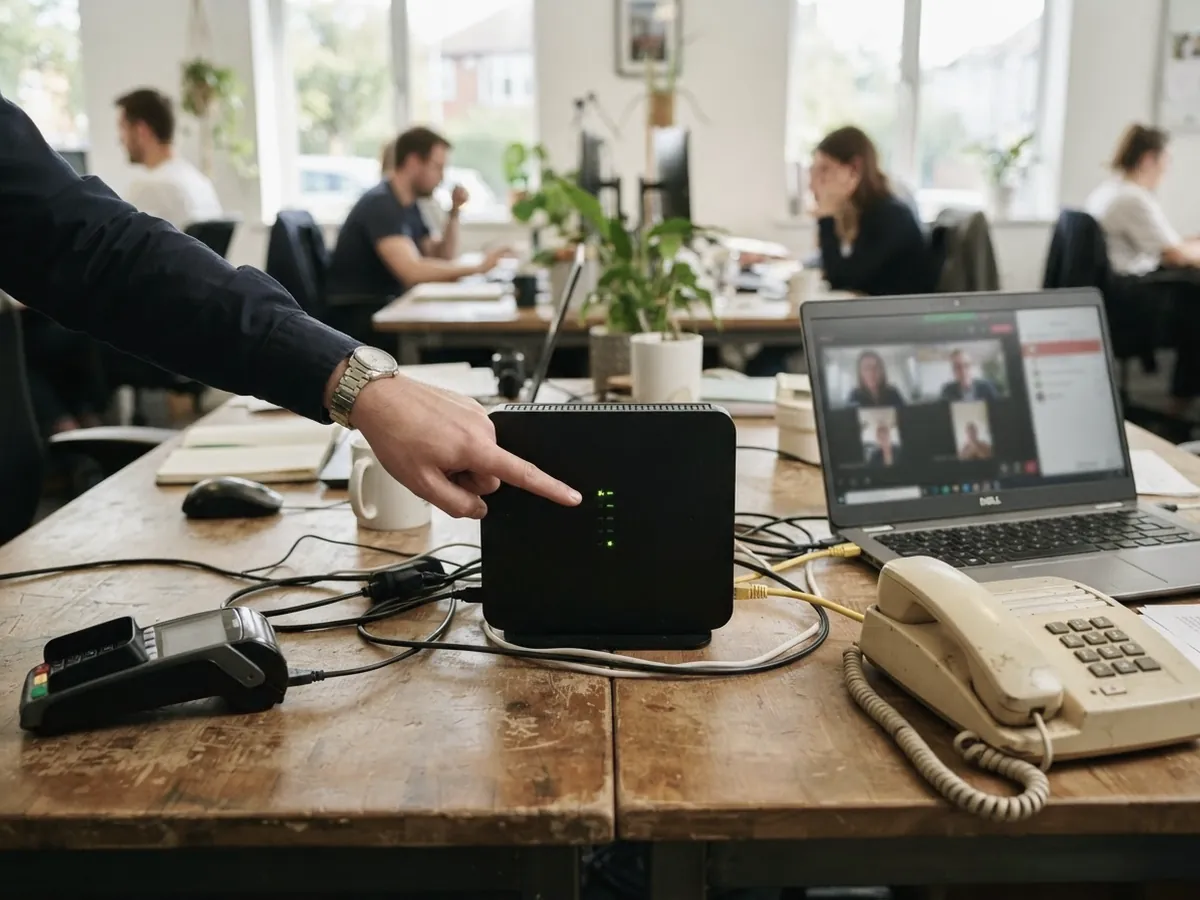
Line types
FTTP, FTTC and Backup Options
For each option we explain what it can carry, how it reaches your building and what happens if it develops a fault. The shortlist is based on what your address can actually get.
Full fibre (FTTP)
With fibre to the premises, fibre runs all the way into your building, at speeds from 40Mbps up to 1000Mbps. Check upload as well as download if you send big files or back up to the cloud.
Fibre to the cabinet (FTTC)
FTTC runs fibre to the green street cabinet and copper from there to you, at up to 40Mbps or 80Mbps. Your speed depends on how far you are from that cabinet.
4G and 5G backup
A suitable mobile router can move key services onto mobile data if the main line fails. We test signal strength where the router will be placed.
Dedicated leased lines
A leased line suits premises that need guaranteed capacity in both directions. Weigh it against broadband if heavy uploads or an outage would stop chargeable work.
Local address checks
Business Broadband Across South London
We start with the postcode, then ask for the building name and unit number, because coverage and access can vary between doors on the same road.
- SM6
Wallington shops
Find out where the installer can bring a cable in and which tills or phones rely on the router.
- CR4
Mitcham workshops
Check how much the current line can upload while staff are on calls or syncing large files.
- SW20
Raynes Park offices
In a shared building, find out who controls access to the comms room before ordering.
- SM2
Belmont practices
Work out which services must stay up while the old line is swapped for the new one.
After installation
Broadband Backed by a Local Team
When the internet drops, someone has to find out whether the fault is on the provider's line, the router or your own network. Once those pieces are documented, the problem goes to the right people faster.
Before you order, we explain what the service includes and which parts of your setup would need extra work.
- Business router and Openreach installation included
- Address check before any order is placed
- Enhanced care for quicker fault repairs
- 4G or 5G backup where indoor signal allows
- One number to call when the internet fails
- Guest WiFi kept apart from business devices
Four steps
Ordering Your New Connection
We plan backwards from the date you need to be online. Your existing line stays live until the new one is installed and everything that depends on it has been tested.
Address check
Give us the full address and any access restrictions, and we will confirm the networks and installation options for your unit.
Choose the package
We match speed and support terms to your number of users, and talk through whether a backup line is worthwhile.
Book the installation
We arrange access for the Openreach engineer and agree the order in which the router, network and key devices are connected and tested.
Support from day one
You know who to call and what to tell us if the connection slows down or drops out.
Before you choose
Look Past the Advertised Speed
Find out how the service will behave in your building at your busiest times. These checks help when two offers look almost identical on paper.
- List the systems and devices the business can least afford to lose.
- Get an availability check for your exact address before picking a package.
- Compare the realistic speeds for each line type at your building.
- Check upload speed if staff send large files or back up during working hours.
- Plan how card payments and calls will carry on if the main line fails.
- Ask for the router, installation and support terms in writing.
- Find out whether your building already has a managed connection.
- Keep work traffic apart from household streaming where you can.
- Warn the installer about alarm or lift lines before anything changes.
- Note the provider's fault number and agree who manages the router.
Run the new line for a while before you cancel the old one.
Common questions
Business Broadband in South London: Your Questions
Can you check what my premises can get?
Yes. Send us the full address with the unit or floor number, and we will confirm the line types available and anything about installation that needs checking.
What is the difference between FTTP and FTTC?
FTTP brings fibre all the way into the building. FTTC uses fibre as far as the street cabinet and copper after that, so distance from the cabinet affects speed.
Is a postcode enough to check for full fibre?
Not on its own. A full address check is more accurate, as buildings on the same street can be wired differently or need separate permission to install.
Can I have a business line at home?
Yes. We can check what is available at your home address and talk through whether a separate line is worth it, for example if work calls and uploads clash with family use.
What happens if the broadband goes down?
If your router is set up for failover, it can switch traffic to a 4G or 5G connection. We check the indoor signal first and agree which devices must stay connected.
When is a leased line worth it?
When your work needs steady upload capacity, or when a broadband outage would halt critical systems. We can compare both options for your premises.
Do you look after the network behind the line?
Yes. We can cover router settings, WiFi coverage and a separate guest network, and we confirm the equipment and work included before installation.
Will the line handle our business calls?
A suitable line can carry VoIP calls. We look at what else uses the network at peak times and set it up so voice stays clear when traffic is heavy.
Accredited IT support, independently certified.






Talk to our Sutton team
Check Business Broadband at Your South London Address
Send us the address and tell us what runs over the connection, and we will begin with an availability check. Call 020 4553 9627, email hello@southlondonitsupport.co.uk or describe what you need using our enquiry form.
Contact us